
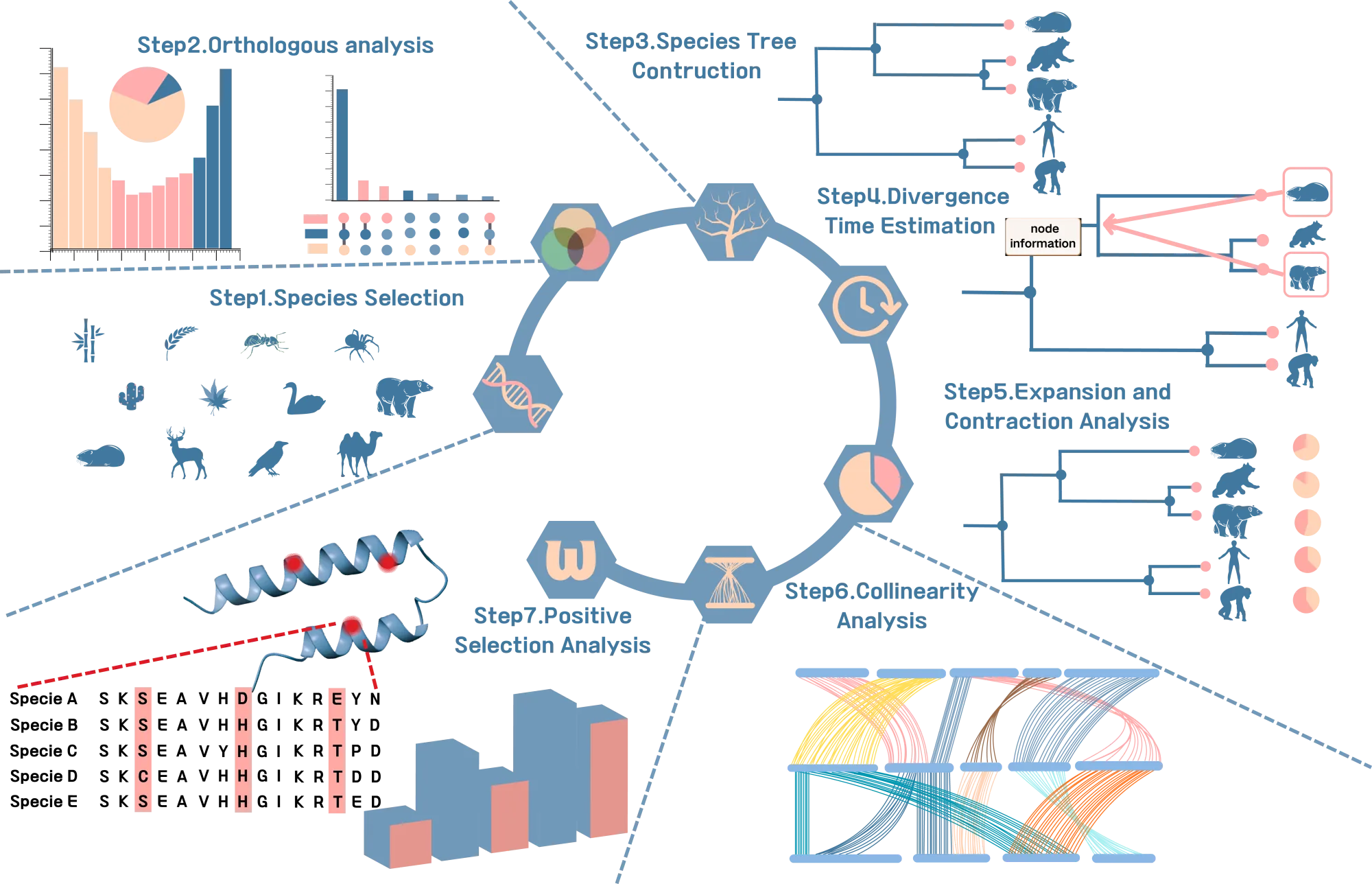
Learn OrthoVenn4 step by step
Watch practical tutorials covering local deployment, data preprocessing, case-study analysis and collaborative project management.
Built for scientific result interpretation
From raw module output to concise interactive pages, the interface keeps data inspection, visualization and export close together.
Orthologous cluster atlas
Compare cluster overlap, single-copy families, species membership and protein-level evidence from one preview surface.
Evolution-ready analysis
Inspect species trees, CAFE expansion/contraction, positive selection, gene trees and collinearity in dedicated scientific views.
Traceable result files
Every preview keeps direct access to source TSV, FASTA, Newick and JSON outputs for reproducible downstream analysis.
Project version reruns
Tune analysis parameters, create a new project version and keep every result tied to a clear workflow snapshot.
Complete comparative genomics modules in one project
Core orthology, functional annotation and evolutionary modules are organized as inspectable result pages with source files and exports.
Orthogroups
Cluster proteins into comparable gene families.
Overlap and single-copy
Inspect shared, unique and single-copy orthologous groups.
GO annotation
Summarize functional terms and annotated accessions.
GO enrichment
Test enriched biological signals for selected cluster sets.
Species tree
Render phylogenetic trees with species-level cluster statistics.
Expansion and contraction
Explore CAFE gene family changes across the time tree.
Collinearity
Compare chromosome-level synteny blocks across species.
Positive selection
Run ABSREL, MEME, BUSTED and PAML branch-site analyses.
Cluster detail
Open protein networks, gene trees and neighborhood context.
Gallery finalize
Generate shareable preview metadata and visual summaries.
Iterate on analysis with clear project versions
OrthoVenn4 keeps reruns under project versions. You can adjust workflow parameters, run optional modules on demand, inspect each version state and keep the preview connected to the exact output files.
Review all analysis parameters together and create a new version when compute settings change.
Keep completed, failed and running project versions visible with logs and files tied to the exact workflow snapshot.
Run cluster detail, positive selection and other target-specific modules from the selected project version.
One workspace from computation to preview
The workspace keeps project setup, module execution, logs, files and preview pages in the same place, so analysis decisions stay connected to the generated results.
Create a project from species data and keep inputs organized.
Generate the core cluster set used by downstream modules.
Adjust advanced options only where the analysis needs them.
Rerun the affected workflow steps under a single project version.
Open interactive pages, download source files and share results.
Peer-reviewed publications behind OrthoVenn
Explore and cite the publications that established and advanced the OrthoVenn platform.
OrthoVenn3: an integrated platform for exploring and visualizing orthologous data across genomes
Nucleic Acids Research, Volume 51, Issue W1, 5 July 2023, Pages W397–W403
OrthoVenn2: a web server for whole-genome comparison and annotation of orthologous clusters across multiple species
Nucleic Acids Research, Volume 47, Issue W1, 02 July 2019, Pages W52–W58
OrthoVenn: a web server for genome wide comparison and annotation of orthologous clusters across multiple species
Nucleic Acids Research, Volume 43, Issue W1, 1 July 2015, Pages W78–W84